
recall find.
This is separate from Connectors. Connecting a tool collects activity, never its text. Text is indexed only from the sources chosen here.
Synapse Admins choose and change knowledge sources.
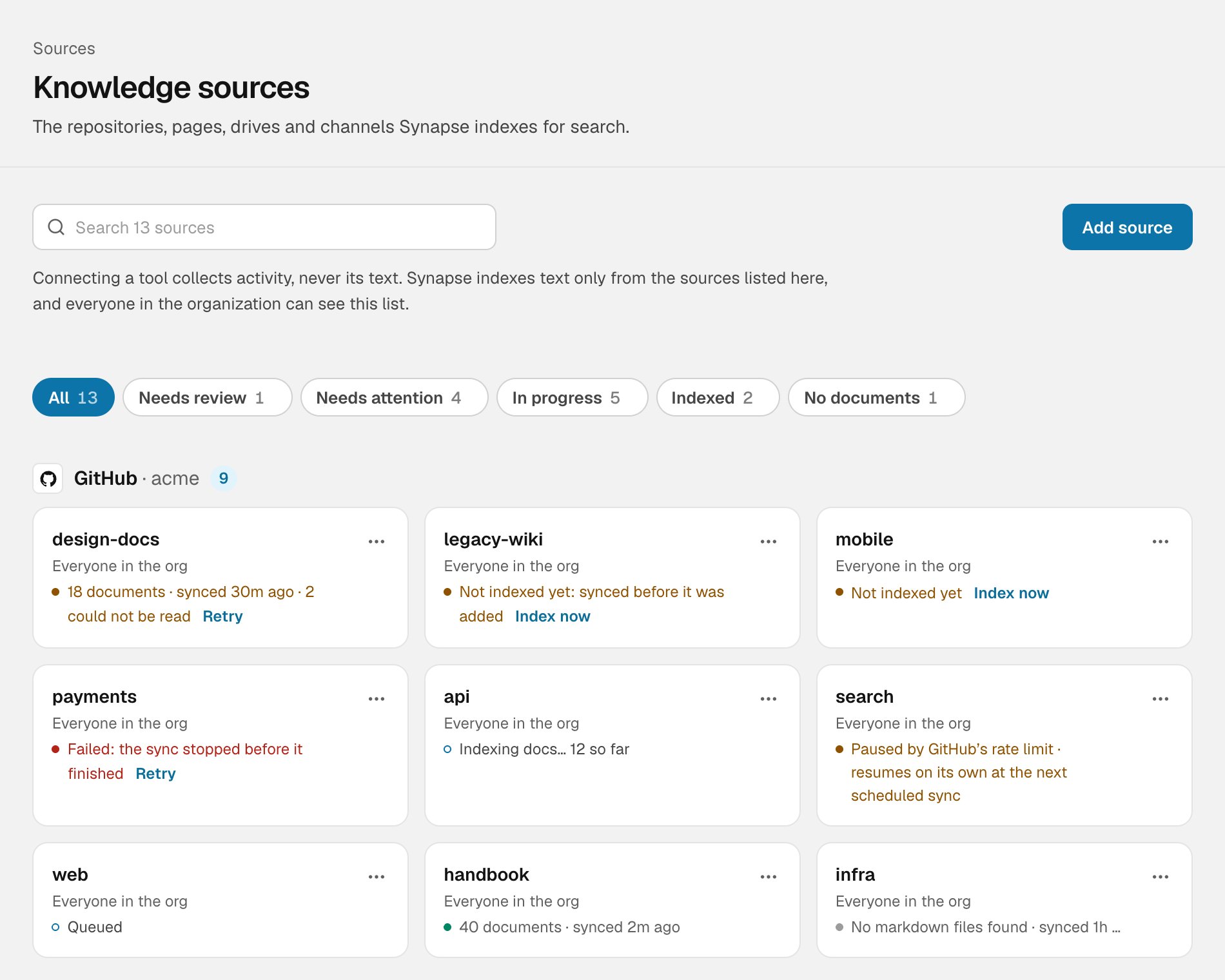
Knowledge sources, grouped by provider
Adding a source
Choose Add source, then pick the kind:- GitHub: a repository’s Markdown docs, RFCs and ADRs. The GitHub app must be able to see the repository.
- Notion: pages shared with Synapse.
- Google Drive: a shared drive.
- Slack: a public channel.
Who can find what
Each document keeps the audience it has at its source, and every search filters on it.
More on this in Ask Synapse: who sees what.
Statuses
Use the chips at the top to show one group at a time.
Each row shows how many documents are indexed and when it last finished.
Row actions
- Index now or Retry: start indexing a source that hasn’t been indexed, or try again after a failure.
- Keep: keep a source from Needs review. It stays searchable.
- Sync now: re-read a source straight away, rather than waiting for the next scheduled sync.
- Stop indexing: asks you to confirm first. Its indexed text is deleted from Synapse and it stops being searchable. Nothing in the source tool is touched, and adding it again re-indexes it.