
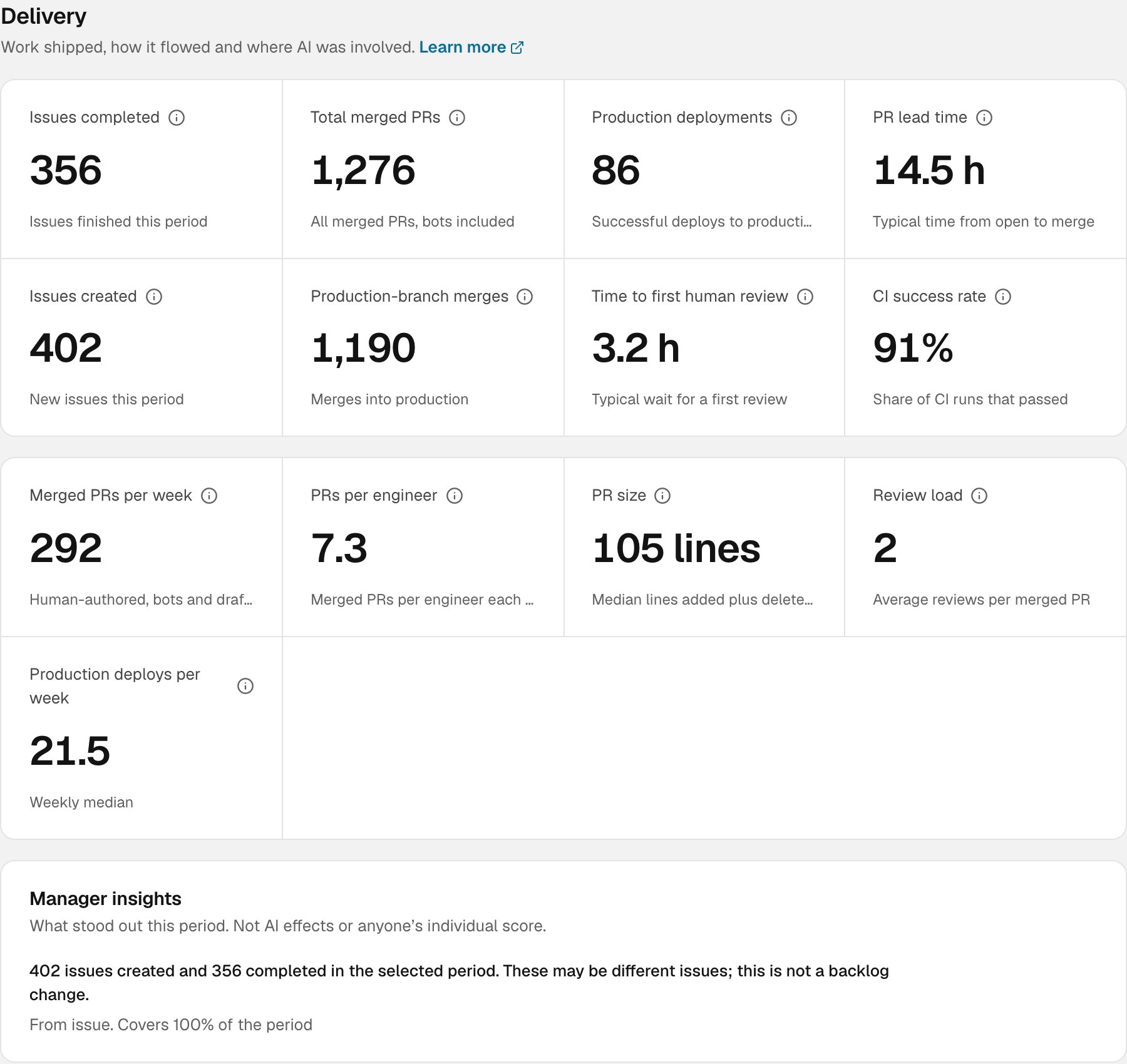
The Delivery section on Insights
Before you read the numbers
A few rules apply to every metric on this page.- No data isn’t zero. If a source hasn’t reported, or its history is incomplete, the card is left out or shows a dash. It never shows
0. A zero means Synapse looked and found none. - “Observed” means partial. When Synapse can see some of a period but not all of it (for example, an issue tracker’s history only goes back part way), a count card is renamed, say from Issues completed to Issue completions observed. The number is what Synapse saw, and the real figure may be higher.
- Organization-wide, no contributor floor. Delivery metrics come from your connected repositories and trackers, not from people’s human state, so they aren’t held back by the cohort floor. They describe the organization’s repositories, not individuals.
- Descriptive, not a score. These are counts and medians of what happened. They aren’t productivity targets, they don’t rank people, and on their own they don’t show that AI caused a change.
- Medians, not averages. Times and sizes use the median (the middle value), so one PR that sat open for a month doesn’t drag the figure.
Delivery measures
These come straight from GitHub, GitLab and your connected issue trackers, across every connected repository. Bots and people who aren’t linked to a Synapse member are included, because they still shipped work.Engineering measures
These describe the human side of code review and shipping. They count PRs by people with a GitHub or GitLab account linked to their Synapse membership. Bots and draft PRs are left out.Production deploys
Synapse doesn’t guess which of your branches and environments are production. You tell it, one repository at a time, and Production deployments, Production-branch merges and Production deploys per week follow that setting. To set it up, go to Connectors, open GitHub or GitLab, and find Production delivery. Only owners and admins can change it. Everyone else sees it read-only.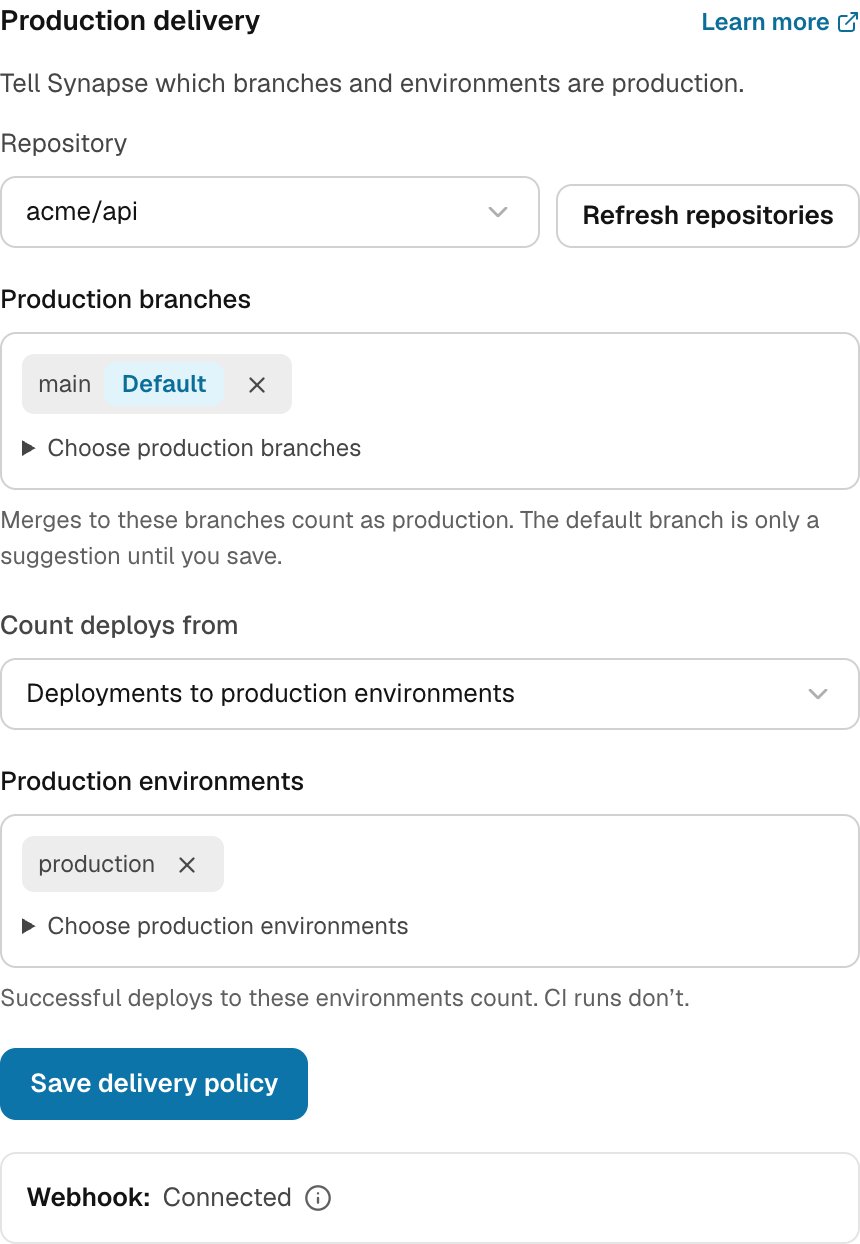
Production delivery settings for one repository, in Connectors
- Production branches. Choose the branches that count as production. Merges into these count as Production-branch merges. Synapse suggests the repository’s default branch, but nothing counts until you save.
- Count deploys from. Choose one of two sources:
- Deployments to production environments. Use this if you record deployments in GitHub or GitLab, for example GitHub Environments. Pick the environments that are production. Each successful deploy to one of them counts. CI runs don’t.
- Selected CI workflows. Use this if a CI job does your deploy. Pick the workflows that deploy to production: workflow file paths on GitHub (such as
.github/workflows/deploy.yml), or exact pipeline names on GitLab. A successful latest run of one of those workflows, on a production branch, counts as a deploy. Saving confirms that these workflows really deploy to production.
- Save delivery policy.
api scope and Maintainer access to the project. If you connected GitLab with read_api only, reconnect it.
AI PR attribution
Repository AI evidence, under Delivery, shows where AI shows up in the PRs your organization merged. It looks for signs that AI wrote or helped with a PR. It can’t prove that code was generated, and a PR with no sign of AI wasn’t necessarily written without it.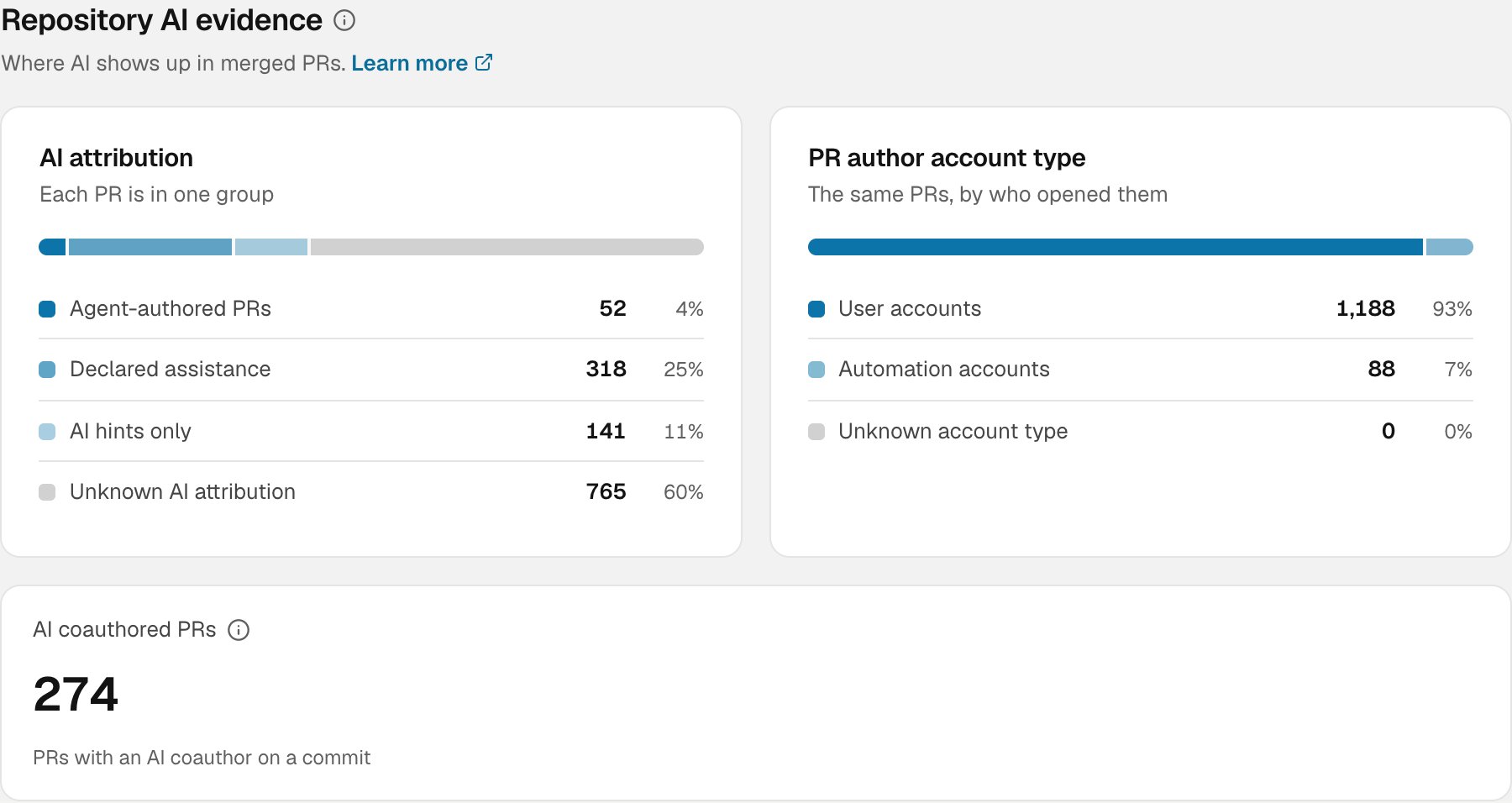
Repository AI evidence on Insights
AI attribution
Every merged PR falls into exactly one group. When a PR has more than one sign, the strongest one wins.
Synapse is strict about what counts as a declaration. A line has to be a declaration on its own, at the end of the PR description or in a commit’s trailer block. A sentence such as “we didn’t use Copilot here”, or an example in a code block, doesn’t count.
The four groups always add up to all merged PRs, so you can read them as shares.
PR author account type
The same merged PRs, split a second way: by who opened them.- User accounts: a person’s account.
- Automation accounts: bots and service accounts, including coding agents and dependency bots.
- Unknown account type: the provider didn’t say.
AI coauthored PRs
A count of merged PRs with at least one commit carrying an AICo-authored-by trailer, which many coding agents add by default. Each PR counts once. Other kinds of declaration don’t count toward this figure, and PRs Synapse could only partly inspect can’t be counted as having none.
What Synapse reads, and what it keeps
To classify a PR, Synapse reads the PR’s author, labels, description, branch name, commit messages and commit author email domains, as your connector allows. It keeps only the result: the group, the tool name (such asclaude-code) and how the signal was found. It doesn’t store descriptions, commit messages or email addresses. On very large PRs it reads the first 256 commits and marks the result as partial.
What these numbers can’t tell you
- That AI caused a change. A rise in merged PRs alongside a rise in agent-authored PRs is a pattern, not proof.
- How much code AI wrote. Attribution is per PR, not per line.
- How productive a person is. Synapse doesn’t rank people by these metrics, and it shouldn’t be used to.
- Anything outside connected repositories. If a repository isn’t connected, or the provider’s history is incomplete, its work is missing.